


SlotsVader Casino Registration From Canada via Google or Email, With a CAD Profile and Document Checks Before Withdrawal
We went through SlotsVader Casino registration step by step. We described the licence, cashier and promotions on the main SlotsVader Casino page, and here we explain how to open an account. The first screen takes half a minute: Google or email with a password. The second cannot be skipped, as you will not get into the account without the profile, and the currency is set right there.
Registration Step by Step
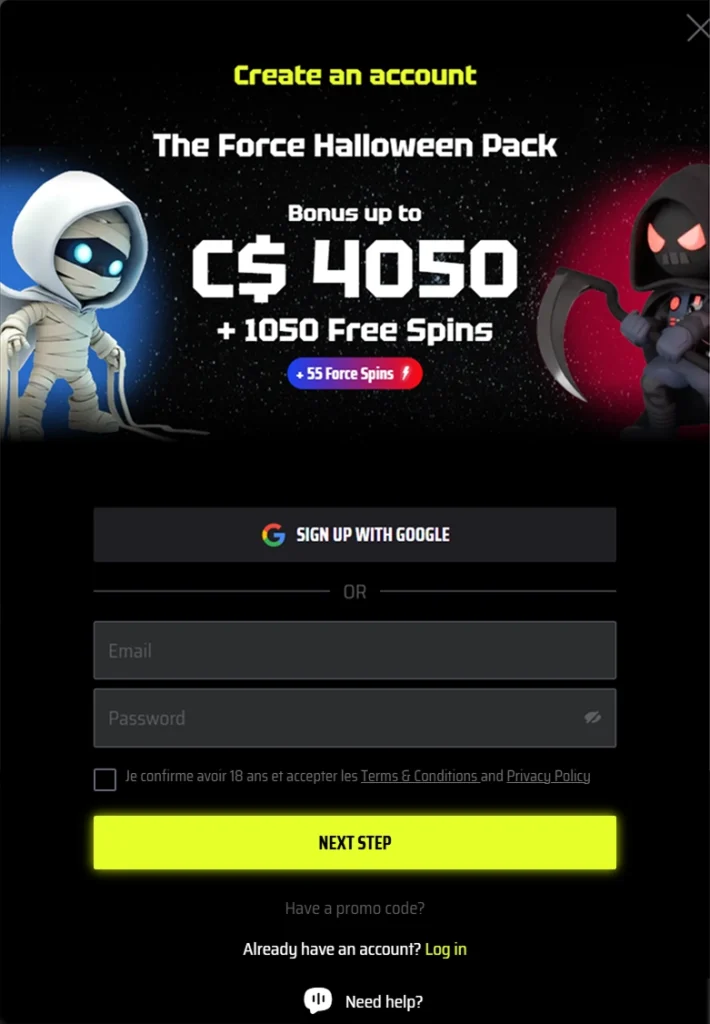
- Open the registration form. The Sign Up button is in the site header.
- Choose a method. Log in with Google or use an email and a password you create yourself.
- Confirm your age. Tick that you are 18 or older and accept the terms and privacy policy.
- Enter a promo code if you have one. The field is optional.
- Fill in the Final step window. Name, surname, gender, date of birth, country, city, postal code, address, phone and account currency, exactly as in your ID. The site explains that this data is needed for a legal and secure withdrawal of funds.
- Press Complete Registration. If anything is unclear, there is a Need help? button at the bottom of the window.
We recommend filling in the profile with your passport or driver’s licence at hand, as the data will later be checked against the document.
The Second-Step Profile
| Field | What to watch for |
|---|---|
| Name and surname | two separate fields, as in your ID |
| Gender | chosen from a list |
| Date of birth | the site accepts users from 18 |
| Country | Canada is chosen from a list |
| City, ZIP, address | three required fields, postal code in A1A 1A1 format |
| Phone | the +1 code is prefilled, the number must be at least 7 characters |
| Currency | CAD is the only option for Canada |
You cannot get the currency wrong: for Canada, CAD is the only option in the list, and all pack, cashback and cashier thresholds on the site are in Canadian dollars.
Age by Province
The site accepts users from 18. Most Canadian provinces only allow gambling from 19, while Alberta, Manitoba and Quebec allow it from 18. We recommend following the rules of your province, even if the site lets you in earlier.
Google or Email
Google login is faster: your email fills in automatically and no password is needed. But then the security of your account depends on how well your Google account is protected. If you register by email, access is restored via an email message.
In both cases, we recommend turning on two-factor authentication in your profile.
Login and Access Recovery
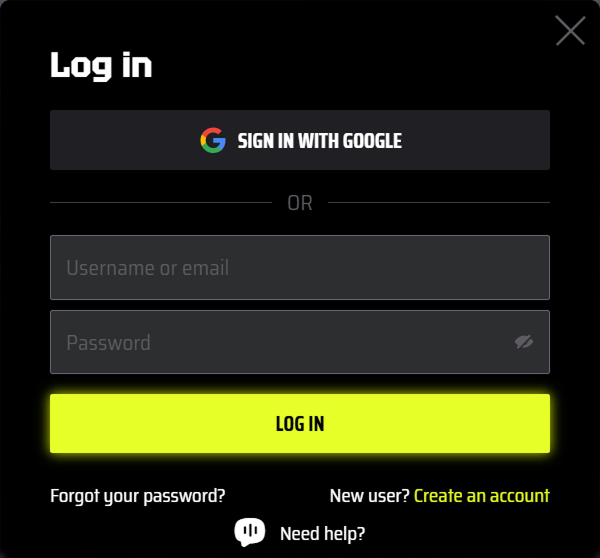
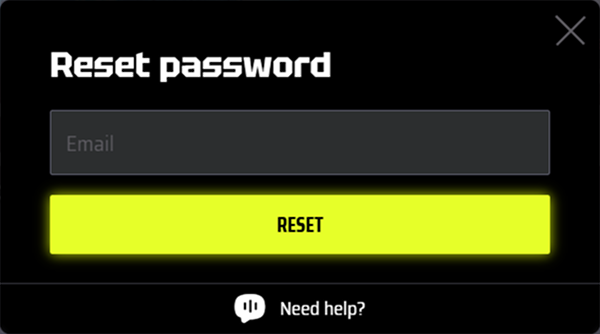
You can log in via Google or with email and password. The same credentials work on the site, in the mobile browser and in the apps. The password for email login is restored via a link sent by email. If you have no access to your inbox, write to [email protected].
First Top-Up and Choosing a Side
| Option | Payment | First-step maximum |
|---|---|---|
| Light Side | from C$30 | 120% up to C$110, 100 FS, 3 Force Spins |
| Dark Side | from C$130 | 100% up to C$810, 200 FS, 5 Force Spins |
| VIP Bonus | from C$810 | 100% up to C$3,240, 300 FS, 30 Force Spins, VIP status and a manager |
Free spins and Force Spins within a step come with a larger payment. Wagering is 45x in 5 days, with a max bet of C$8.
Verification
KYC is mandatory before the first withdrawal, and documents are sometimes requested as early as the first top-up. You need a photo ID plus proof of address and payment method. We recommend uploading the documents right away so your first withdrawal request does not wait for the check.
If Something Goes Wrong
| Situation | What to do |
|---|---|
| Email already taken | request a password reset, the account may have been opened via Google |
| The email does not arrive | check “Spam”, then write to the chat |
| Cannot get into the account | fill in the second-step profile |
| “Minimum 7 characters” error | check your phone number |
| Suspicious login | change your password and notify support |
Our Recommendations
- Have your postal code ready. The ZIP field is required.
- Enter your details as in your ID. Otherwise verification and payouts will be delayed.
- Turn on 2FA. It protects your account.
- Check your promo code before the first step. The field is only in the registration window.
- Set up Reality Check right away. A 60, 90 or 180-minute timer in your profile.
- Remember the provincial programs. The site is not connected to them, so you will have to set your own limits.
Conclusion
SlotsVader Casino registration has two stages: a quick login via Google or email and a mandatory profile with address and currency. From our experience with offshore sites, we recommend two things: fill in the Final step window according to your ID and turn on two-factor authentication before your first top-up.